How the 2027–2028 Blog Post Planner KDP Structures Your Content Workflow for Consistent Publishing
If you run a blog, manage content for a brand, or publish on a regular schedule, you already know that the difference between a consistent content operation and a chaotic scramble often comes down to one thing: structure. A solid plan does not just help you decide what to write next week. It creates a repeatable system that saves time, reduces mental overhead, and ensures that your content aligns with larger goals across quarters, seasons, or even two-year cycles. The 2027-2028 Blog Post Planner KDP is a tool built specifically to support that kind of long-term planning, without requiring complex software subscriptions or multi-tab spreadsheets. It is a physical and digital resource designed to help you map out what you publish, when you publish it, and why it fits into your broader strategy.
This planner exists at the intersection of strategic foresight and daily execution. Whether you are a solo blogger juggling multiple interests, a small business owner using content to drive leads, or a freelancer managing several client blogs, a planner that covers two full years gives you the runway to think in seasons rather than weeks. It lets you plan editorial themes, product launches, seasonal content, and campaign cycles well in advance, while still leaving room for flexibility when something unexpected becomes relevant.
What the 2027–2028 Blog Post Planner KDP Actually Contains
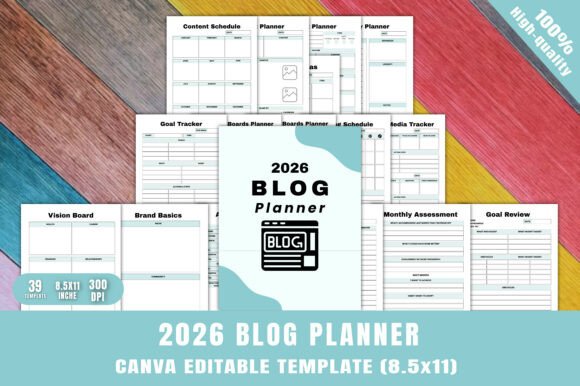
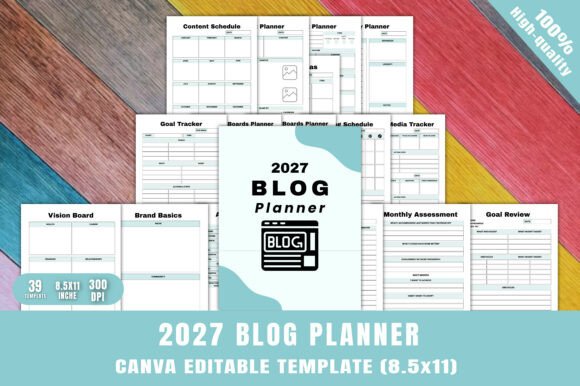
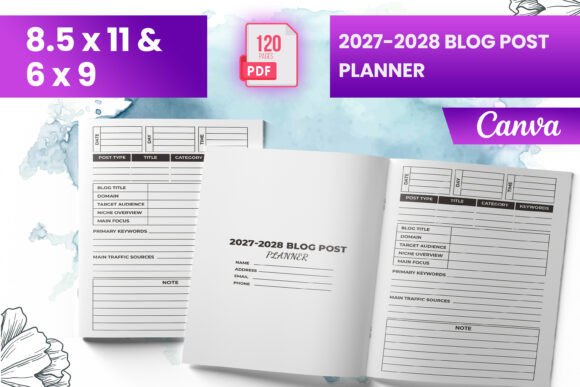
Before you can integrate a tool into your workflow, it helps to understand exactly what you are working with. The 2027-2028 Blog Post Planner KDP is a ready-to-upload interior file designed for Amazon KDP (Kindle Direct Publishing), but it can also be used directly as a printable planner or imported into design tools like Canva. The package includes several file formats so you can work with it in the way that fits your process best.
- Ready-to-upload PDF file – formatted for KDP with bleed, so if you are publishing this as a paperback on Amazon, it meets the technical requirements for approval.
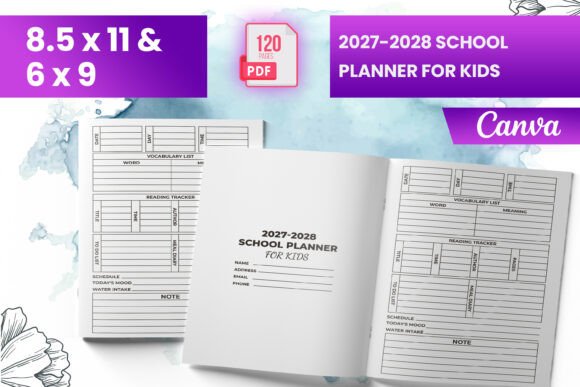
- Multiple trim sizes – available in 6x9 inches and 8.5x11 inches, giving you flexibility depending on whether you prefer a compact or full-size layout.
- 120 total pages – enough space to plan two full years without feeling cramped or repetitive.
- Intro page – provides a quick orientation so you understand how the pages are organized and how to get started.
- PNG and JPG files – useful if you want to edit individual pages in Canva, use them as digital backgrounds, or print specific sheets without involving the full PDF.
- Tested on Amazon KDP – the interior files have been validated for compatibility, which removes a layer of guesswork if you are publishing commercially.
Having multiple file types matters because it affects how the planner fits into your existing tools. For example, if you use Canva to design blog headers or social media graphics, you can import the PNG files directly into your template library and annotate them with your brand colors or notes. If you prefer to print everything at once and keep a physical binder, the PDF with bleed gives you a professional-looking document that prints cleanly without edge artifacts.
Where This Planner Fits Into a Broader Content Process
A blog post planner is not a replacement for a content strategy. It is a tactical layer that bridges your high-level goals and your day-to-day writing sessions. Think of your content process as having three layers: strategy, planning, and execution. Strategy sets your direction — your niche, audience, and core topics. Planning translates that strategy into a timeline, which is where the 2027-2028 Blog Post Planner KDP belongs. Execution is where you write, edit, publish, and promote. The planner sits between strategy and execution, making sure that what you produce each week is connected to the larger picture.
Many content creators skip the planning layer entirely. They have a general idea of what they want to write about, but they decide what to publish on the day they sit down to write. This reactive approach leads to gaps, inconsistent tone, and missed opportunities for seasonal relevance. Using a two-year planner shifts you from reactive to proactive. You can block out months for series, map promotional content around product launches, and ensure you cover foundational topics before moving into advanced ones.
For example, if you run a blog about productivity tools, you might plan a January series on annual planning, a February series on habit tracking apps, and a March series on workflow automation. With the 2027–2028 planner, you can see those themes laid out across a full calendar, which helps you create interlinked content that builds on itself. Readers who land on your habit tracking post in February will see a link to your annual planning post from January, increasing session time and page views.
Using the Planner Before, During, and After Your Content Creation Cycle
One of the strengths of a planner that spans two years is that it supports all phases of a project — not just the writing stage. Here is how the 2027-2028 Blog Post Planner KDP fits into each phase of a typical content cycle.
Before You Write: Strategic Mapping and Theme Selection
The planner helps you look ahead. If you know that your industry has a major conference every September, you can plan a series of posts leading up to it. If your business launches a new product every spring, you can schedule teaser content, launch announcements, and follow-up case studies across multiple months. The two-year scope means you can also plan for slower seasons, giving yourself permission to repurpose existing content or run roundups without feeling like you are falling behind.
Use the intro page and the early spreads to brainstorm your core categories for 2027 and 2028. Then assign each month a broad theme. This does not need to be rigid. A theme like "tools and technology" might cover several specific posts, but it gives you a lens through which to select topics. By setting themes months in advance, you reduce the cognitive load of coming up with ideas each week.
During Writing and Editing: Scheduling and Tracking Progress
Once your themes are set, the planner becomes a tracking tool. Each blog post gets a row or a block where you record the title, publish date, status, and any notes about keywords or formatting. The 120 pages give you plenty of space to include details like word count targets, primary calls to action, or links to related posts. This is also where the PNG and JPG files become useful. If you prefer to keep a digital version, you can upload the planner pages to a note-taking app like GoodNotes or Notability and update your status in real time as you finish drafts or send posts to an editor.
During this phase, the planner interacts with your other tools. You might have a separate SEO spreadsheet where you track keyword rankings, but the planner keeps the editorial calendar in one place. When you finish a draft, you check it off in the planner. When you publish, you record the URL. Over time, this creates a historical record that you can reference when deciding whether to update old posts or refresh content for the next year.
After Publishing: Review, Repurpose, and Refine
After a post goes live, the work is not done. The planner gives you a space to mark which posts perform well and which ones need revision. If a post from January 2027 gets consistent traffic, you can note in the planner that it is a candidate for an update in 2028. If a series did not resonate, you can flag that theme for adjustment next cycle.
Having two years of data in one document helps you spot patterns. Maybe you consistently publish less during August, or your most successful posts fall in the first quarter. With this information, you can allocate resources more efficiently. For example, if Q1 is your strongest period, you might plan to invest more in promotion during that window and scale back production later in the year.
Practical Integration with Your Existing Systems
The 2027-2028 Blog Post Planner KDP works alongside the tools you already use. If you rely on a project management platform like Trello or Notion, you can use the planner as the high-level map and the digital tool for task-level management. Assign each blog post a due date in your project manager, but keep the thematic overview and yearly structure in the planner. This prevents digital tools from becoming cluttered with long-range planning that hides two-year cycles behind collapsed menus.
For users who run a blog as part of a larger business, the planner can also coordinate with product launch calendars. If you sell digital products, plan a blog post that goes live two weeks before the launch to build awareness, another post on launch day, and a follow-up post one week later. Map these posts in the planner so you can see how your content supports your revenue goals.
Freelancers and content managers can use the planner to track multiple client blogs. Assign each client a section or color code within the planner. When you plan a month, you allocate posts per client and ensure no client gets overlooked. This prevents the end-of-month scramble when you realize you owe a client three more posts.
Long-Term Consistency and Quality Control
One of the hardest parts of content creation is maintaining quality over time. When you plan reactively, quality tends to dip during busy periods because you rush to publish something. With a two-year planner, you can pace yourself. You can schedule deeper, research-heavy posts during months when you know you have more time, and lighter posts (like curated lists or personal updates) during high-activity periods. This balance keeps your blog feeling intentional rather than inconsistent.
The planner also supports quality control through review cycles. Because the 120 pages include room for notes, you can add a column for "next review date" after each post. Set a recurring reminder to check posts six months after publication and update links, refresh statistics, and improve SEO. This turns your planner into a maintenance document, not just a publishing calendar.
Getting Started Without Overcomplicating It
If you are new to long-range content planning, the scope of a two-year planner can feel overwhelming. Start small. Use the first few pages to outline just the first three months of 2027. Get comfortable with the layout, then expand your planning horizon as you build the habit. The intro page included in the planner provides guidance on how to fill in the fields, so you are not guessing.
Another approach is to use the planner hybrid mode — print the first month and keep the rest digital until you need them. The PDF, PNG, and JPG formats give you this flexibility. Because the files are tested for KDP, you also have the option to publish your own version if you are a seller, but for individual use, the value lies in having a structured tool that you can adapt to your specific workflow.
The key is to treat the planner as a living document. It should not sit on a shelf. Write in it, erase, adjust dates, and revisit it monthly. The more you interact with it, the more it becomes a reflection of how you actually create content, rather than an ideal that you never quite match.
For professionals, creators, entrepreneurs, and anyone who treats blogging as a serious channel, the 2027-2028 Blog Post Planner KDP is a practical investment in consistency. It gives you the space to think ahead, the structure to execute daily, and the historical record to improve over time. Whether you publish weekly, biweekly, or multiple times per week, having a two-year view helps you build a content library that serves your audience and your goals well beyond any single post.